Minecraft server management

About mineos.net

mineos.net is a modern Minecraft server manager built for admins who want speed, visibility, and full control. It ships with a clean UI, real-time console streaming, and automation that removes the daily grind. It is originally a fork of MineOS-node, but is being rebuilt from the ground up with a new codebase, and new features.

Beta build, focused on stability Vanilla, Forge, NeoForge, Fabric, Quilt, Paper & Bedrock
mineos.net at a glance Live
  • Setup Guided in minutes
  • Automation Backups + restarts
  • Ops Start, stop, kill, import
  • Players Op, whitelist, ban, manage
  • Visibility Metrics + activity
Clean UI Multi-user access LAN broadcast options

Install mineos.net

One command to download and set up. Needs Docker.

Quick install
# Latest stable. Diamond-tier — hardened against creepers.
$ curl -fsSL https://mineos.net/install.sh | bash

Works on macOS, Linux, and Windows. The one-liner installs the mineos.net CLI and bootstraps Docker for you.

Already running mineos.net? How to upgrade →

Recently shipped — v1.1.0

What's new

The big stuff that landed in the latest release.

  • Bedrock servers — native support with dynamic version fetching and cross-platform play.
  • Java 25 auto-detection — MC 26.1+ works out of the box. Right JDK picked per Minecraft version.
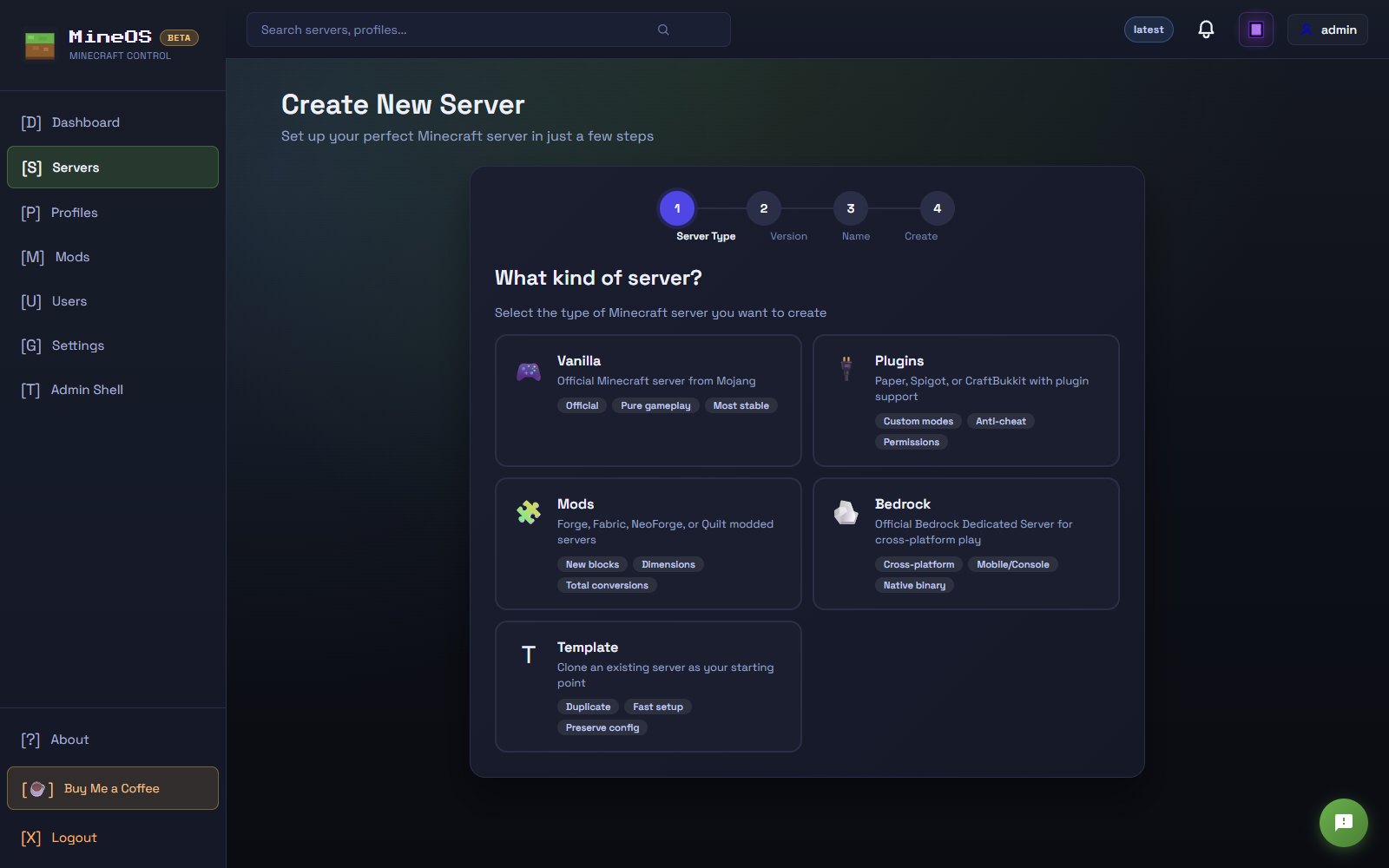
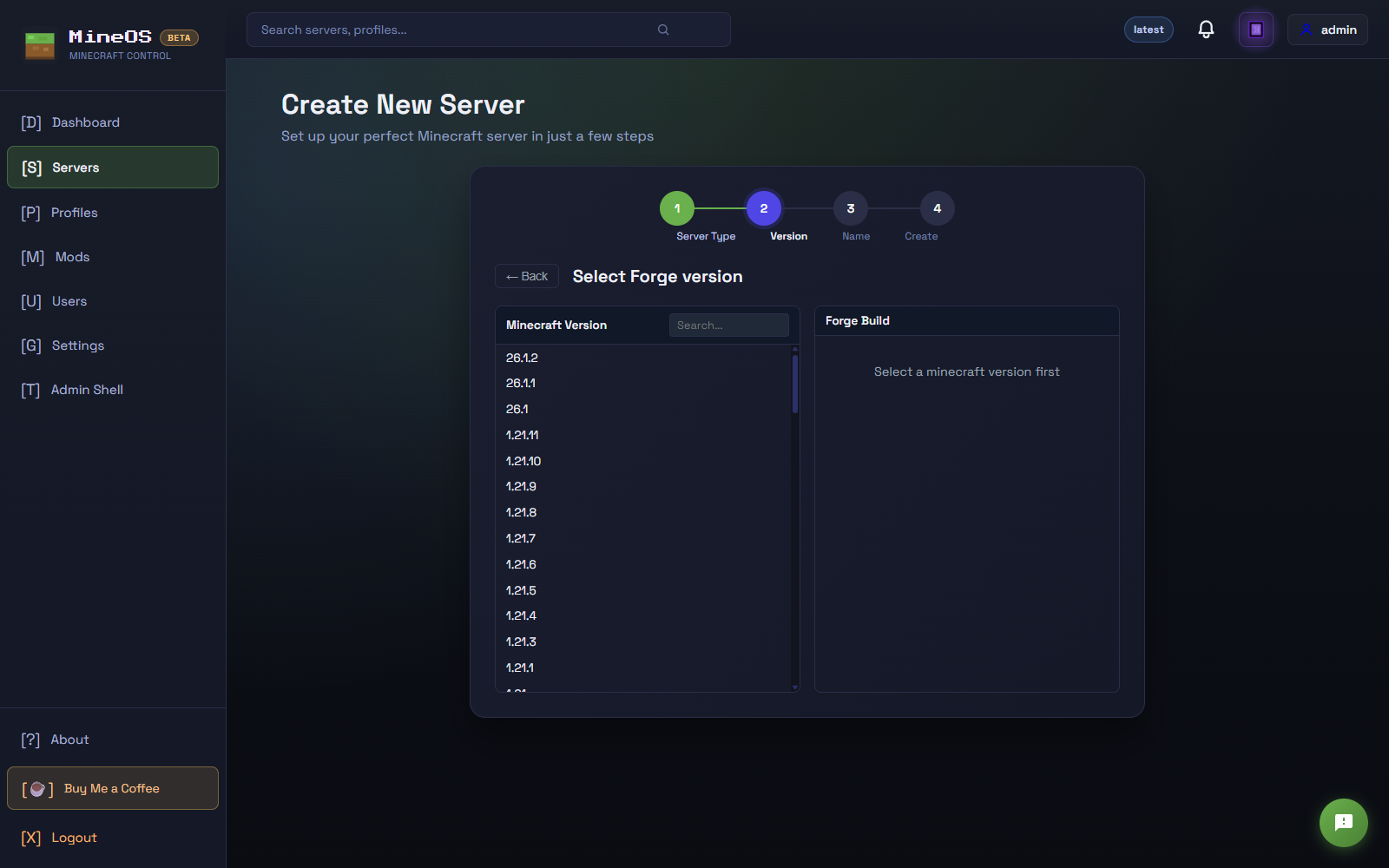
  • Redesigned create-server wizard — categories first (Vanilla / Plugins / Mods / Bedrock / Template), then drill in. NeoForge and Quilt are first-class now.
  • Change server type — switch an existing server from Vanilla to Paper, Paper to Forge, etc., with compatibility warnings.
Usage stats

Who's using mineos.net

Anonymous telemetry from people running mineos.net.

455 Installations
52 Active (30 days)
204 Servers managed
53 Active servers

Top countries

  • United States 116
  • France 57
  • Germany 38
  • Unknown 36
  • United Kingdom 20

Platform breakdown

  • linux 389
  • windows 60
  • darwin 6
Screenshots

What it looks like

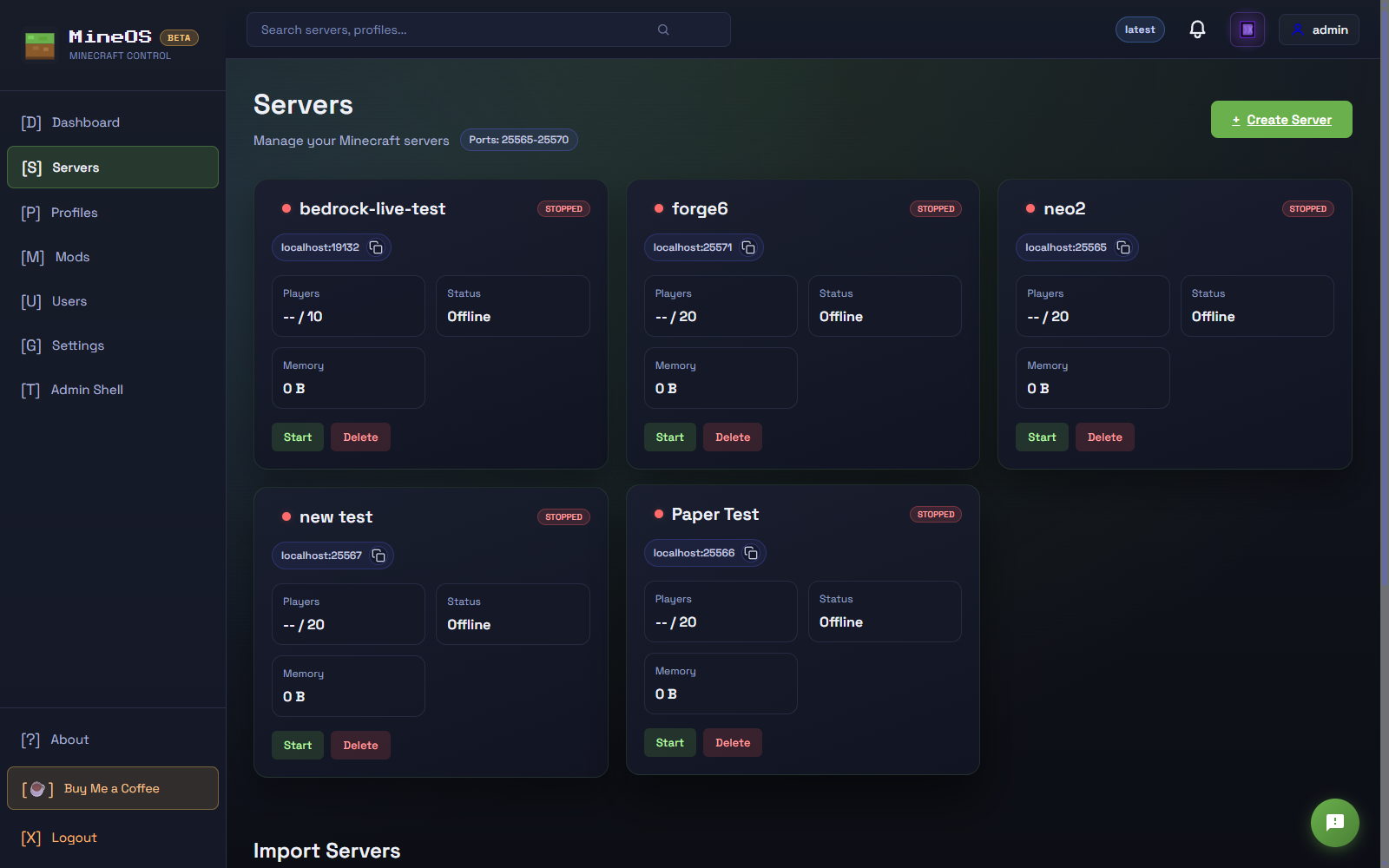
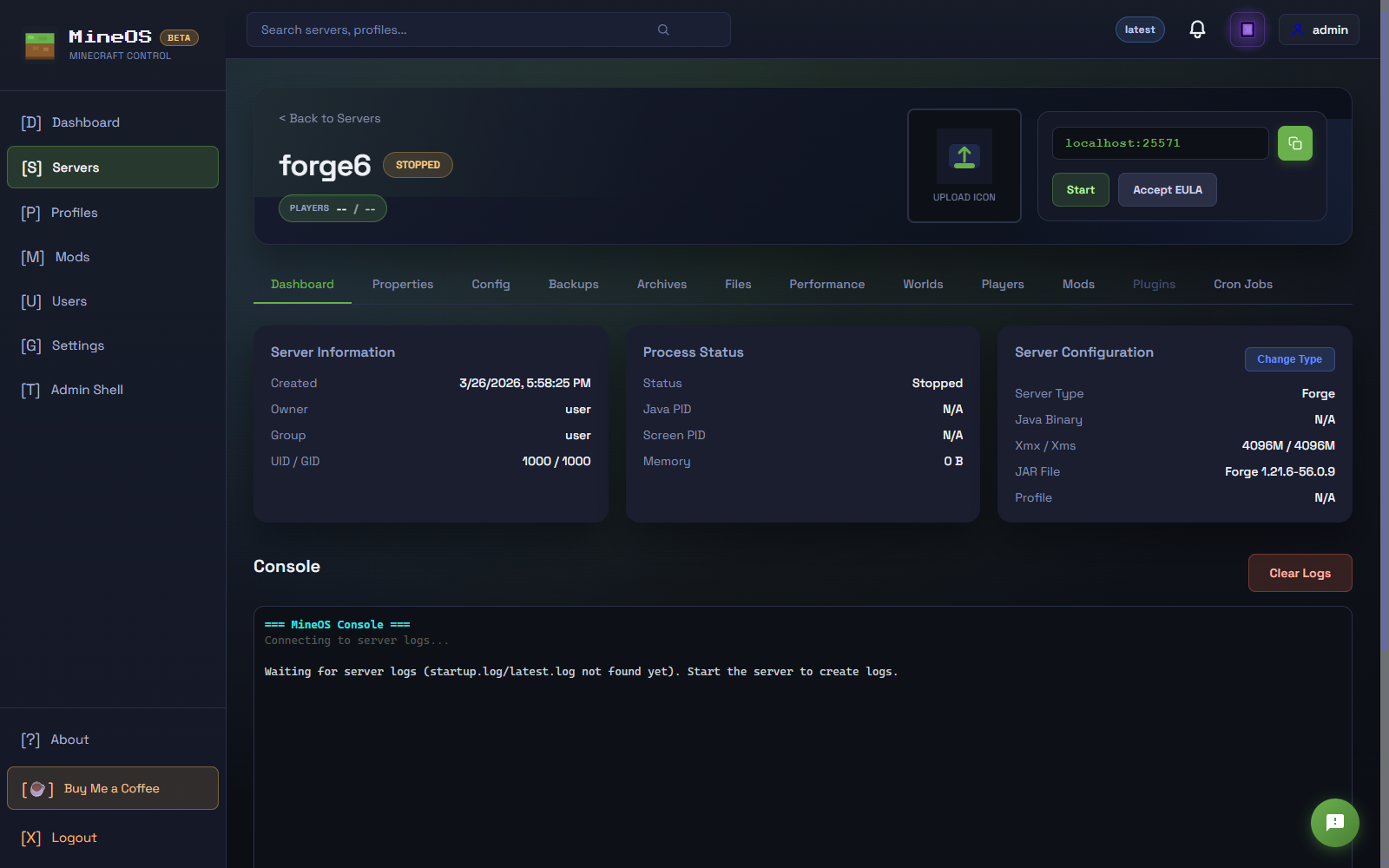
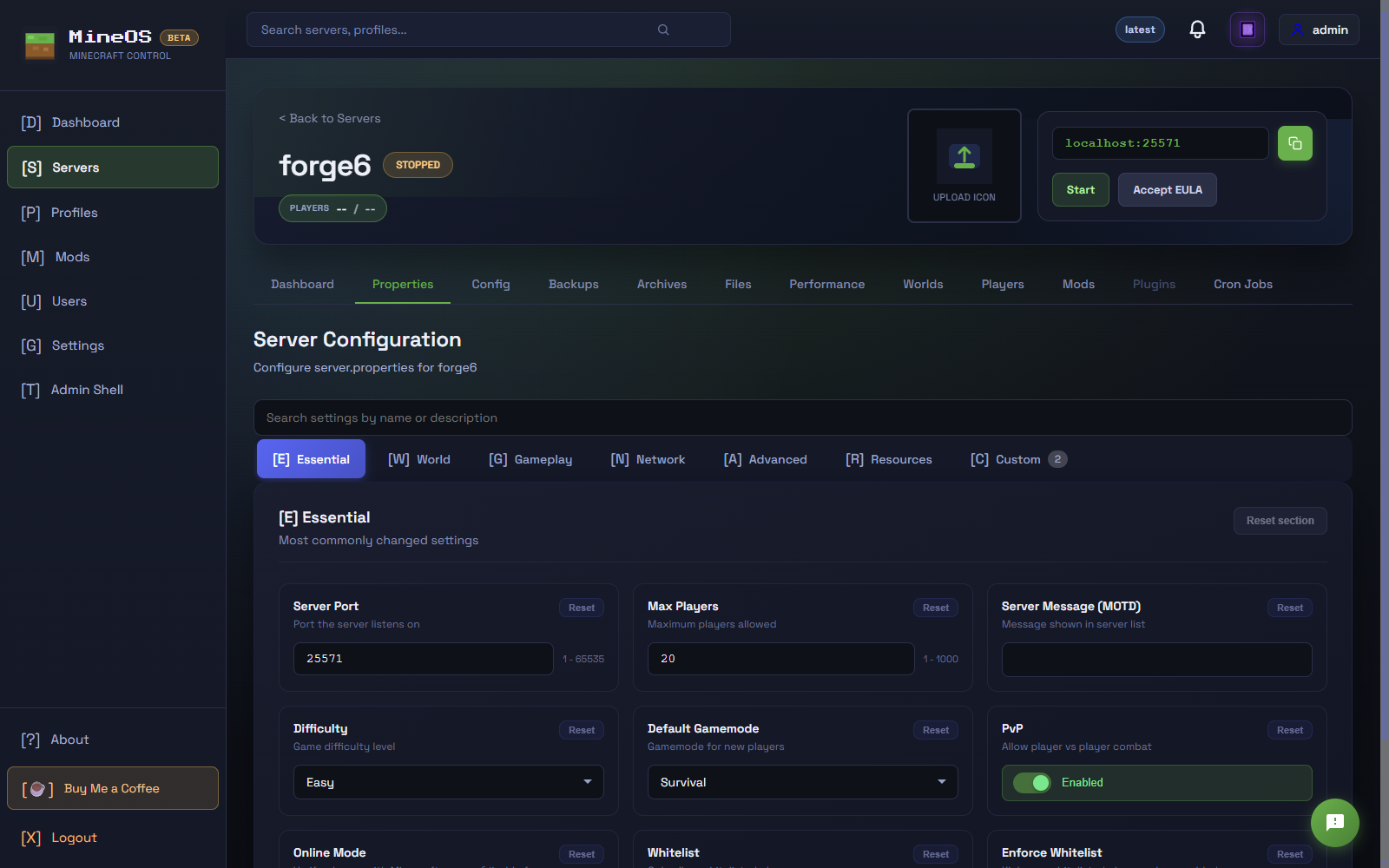
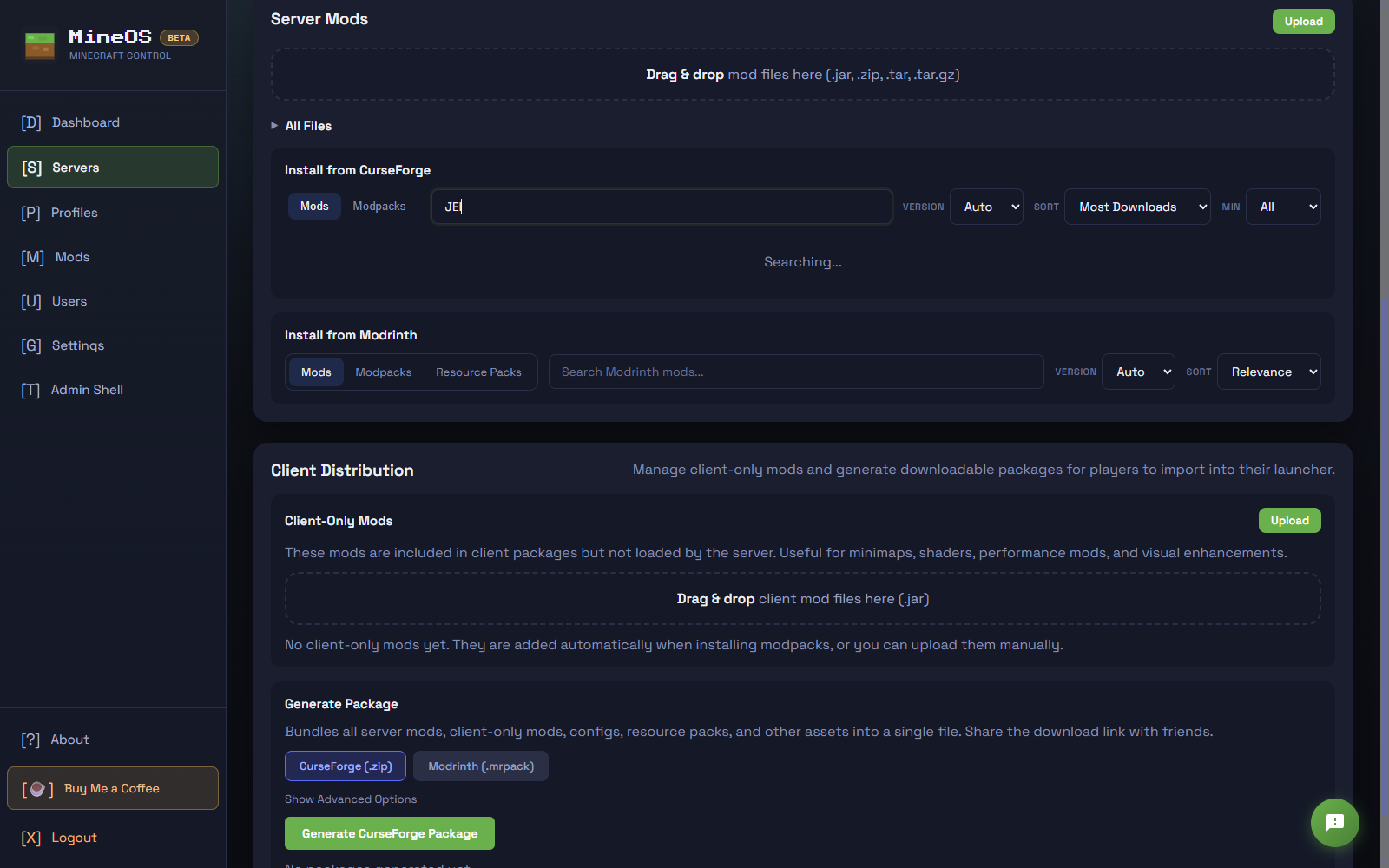
Here's what you'll actually be using. Dark mode, straightforward layout, nothing buried three menus deep.

mineos.net UI

Server list

See all your servers, who's online, and what version they're running.

  • Everything important is on the main screen.
  • Live logs so you see problems as they happen.
  • Advanced options are there when you need them.

What you can do with it

The stuff you actually need. Works for one server or twenty.

Easy server setup

Good defaults out of the box. Tweak what you want, skip the rest.

Modpacks & loaders

Forge, NeoForge, Fabric, Quilt, Paper, Bedrock — pick a loader and modpack, mineos.net handles the install.

Live console

Watch server output and run commands right from the browser.

Backups

Automatic backups on a schedule. Restore with a click when things go wrong.

Networking options

Run in Docker isolation or broadcast on LAN for local play.

Server stats

TPS, player count, uptime. See how your servers are doing.

How this got built

Mostly AI, polished by humans

Fair warning: a lot of this codebase was written with AI assistance. It got us to a working product fast, but there's plenty of room to improve. If you want to help, grab the repo and use your favorite AI tool to tackle GitHub issues.

Get involved

mineos.net is open source. Code's on GitHub if you want to poke around or contribute.

Get in touch

Got a question or found a bug? Let us know.

We use GitHub for support

Questions go to Discussions; bugs and feature requests go to Issues. Either way we'll open a pre-filled new tab on GitHub — you'll need a free account to submit. Public conversations mean other folks can chime in and find answers later.

Browse existing issues
Opens a new tab with the form pre-filled. Edit before submitting.